A senior annotator needs to update an ambiguous class description. The fastest workaround is to grant Manager access. The task is solved, but the same account can now change members, storage, and workflows. Convenience quietly became standing privilege.
Role design should follow responsibilities and failure impact, not job-title prestige. Unitlab's built-in and custom roles provide the surface; a team still needs to decide which actions require separation, approval, or temporary elevation.
Fast annotation teams need clear boundaries. If everyone can manage projects, ontologies, models, storage, and members, configuration drift becomes inevitable. If access is too narrow, reviewers wait for administrators and production stalls. The goal is least privilege with enough authority to complete assigned work.
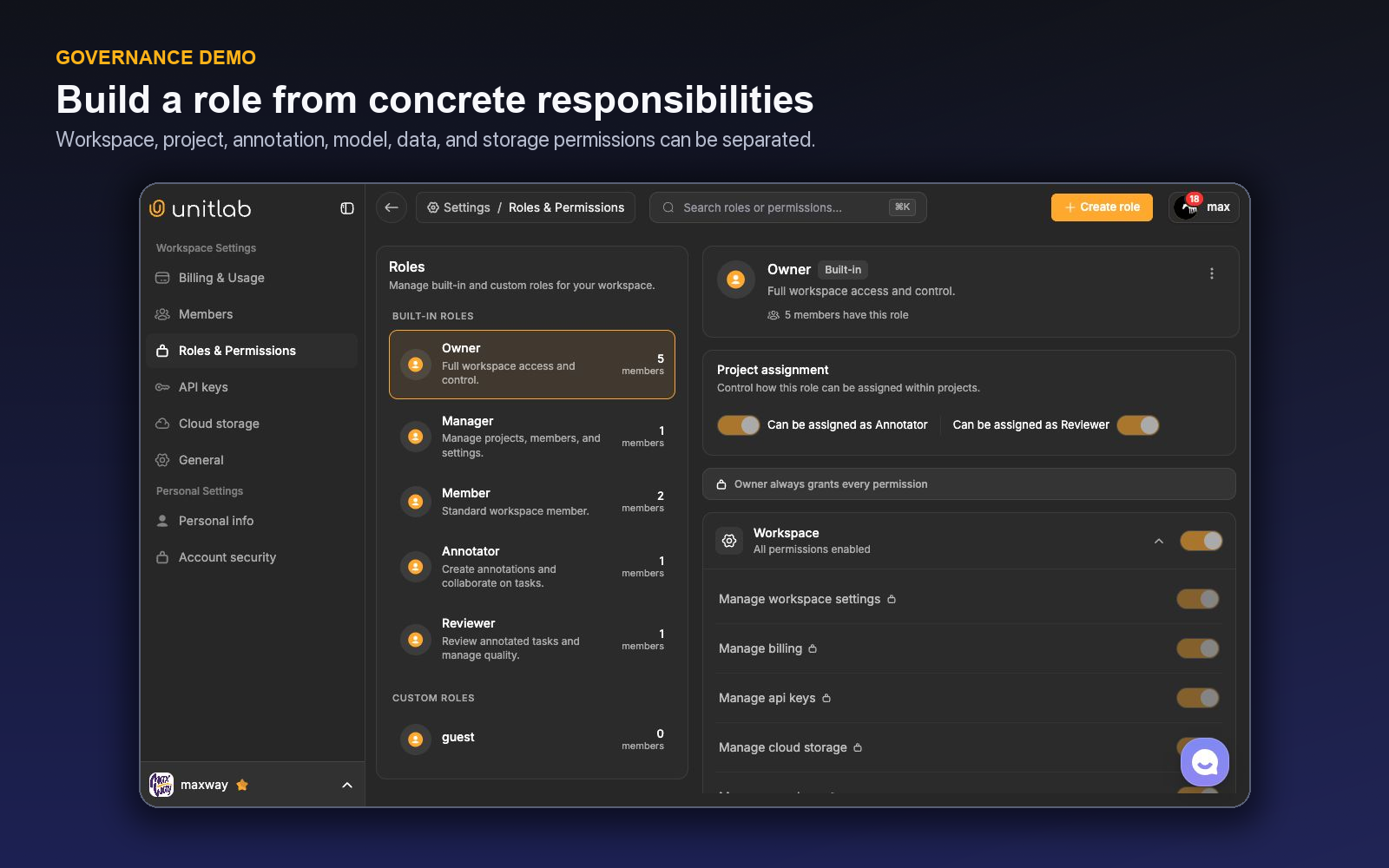
Unitlab includes Owner, Manager, Member, Annotator, and Reviewer roles, plus custom roles. Members can have active, pending, disabled, or rejected states, and the members area supports search, filters, invitations, resending, role changes, actions, and per-member analytics.
Governance principle: Grant authority by responsibility and failure impact, not seniority. Temporary escalation is safer than turning a narrow operational need into permanent administrative access.
The permission surface
Custom roles can be configured across:
- workspace settings, billing, API keys, cloud storage, and members;
- projects, ontologies, project assignments, releases, ontology viewing, and instructions;
- annotation interface, label creation, comments, and statistics; and
- data, AI models, workflows, and augmentation.
Roles can also be eligible for assignment as Annotator or Reviewer.
Define roles around responsibilities
An owner governs the workspace and high-impact administration. A manager coordinates projects, members, queues, and operational reporting. An annotator creates labels and comments under instructions. A reviewer accepts, rejects, and explains quality decisions. Specialists may need a custom role limited to selected functions.
Do not assume a role name guarantees a process. Write a responsibility statement and map each permission to a required action.
| Responsibility | Typical access principle |
|---|---|
| Create labels | Annotation interface and label creation only where assigned |
| Review work | Review eligibility, interface, comments, necessary context |
| Manage ontology | Limited to schema owners; separate draft from publishing approval |
| Connect storage | Dedicated administrators with approved credentials |
| Manage AI models | Integration owners with security and mapping responsibility |
| Create releases | Accountable data or ML release owner |
| Manage members and roles | Small workspace-administration group |
The exact mapping should reflect organizational risk and Unitlab's validated behavior.
Separate annotation from review authority
A person may be qualified for both roles, but the workflow should state when independent review is required. For high-risk or gold-standard data, avoid self-approval. For low-risk mature work, sampled review may be sufficient.
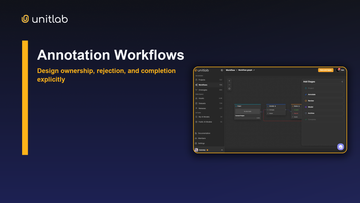
Unitlab workflows assign people or allow anyone and provide accepted and rejected review paths. Each human stage can restrict eligible annotators or reviewers, control self-assignment, allow manager override, hide unassigned work, and decide whether the stage can be skipped. Role eligibility and stage configuration should agree: workspace permission grants broad authority, while project position and the current stage determine which queue and actions the member can use.
Connect these role boundaries to annotation quality assurance so reviewers can approve, reject, and route corrections under a shared policy.
Protect high-impact permissions
Cloud storage, API keys, models, workflows, ontologies, releases, members, billing, and role administration can change the workspace's security or data contract. Limit them, require change records, and review access periodically.
The API-key area supports creation, masked display, show, copy, enable or disable, and delete. During our review no key was revealed or changed. Treat keys as secrets, use named owners, rotate them, and revoke unused access.
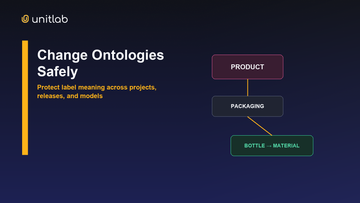
Ontology publishing deserves particular control because label meaning affects active projects and historical annotations. Release management also deserves separation: an annotator completing work should not necessarily approve it as model-ready data.
Build a custom role deliberately
Start with no permissions and add only the tasks in the responsibility statement. Test the role using a non-production member and representative project. Verify both allowed actions and actions that should remain unavailable.
Useful custom patterns may include external annotator, domain adjudicator, data curator, model-integration engineer, release manager, or read-only auditor. Avoid creating dozens of nearly identical roles; complexity makes review harder.
Name roles by function, not person. Document owner, purpose, permissions, assignment eligibility, project scope, review date, and deprovisioning rule.
Member lifecycle is part of data governance
Define invitation approval, identity verification, pending-invite expiration, role assignment, periodic access review, disablement, and offboarding. A disabled member should no longer receive work; reassignment should preserve project continuity.
Use per-member analytics as an operational signal, not as a substitute for quality context. Throughput differences may reflect task difficulty, review assignments, or source complexity. Pair activity metrics with error categories and queue mix.
A worked role model
An enterprise workspace might use six functional roles. Workspace Owners control billing and ultimate administration. Project Managers manage projects, members, instructions, and queues without accessing secrets unnecessarily. Data Curators manage approved source assets and datasets. Annotators view assigned projects and create labels and comments. Reviewers review and comment but cannot publish ontologies. Release Managers approve versioned data handoffs.
A separate Integration Engineer manages AI models and, only where required, API or connection configuration. Cloud-storage administration may remain with a platform team. Each role is tested in a pilot account against allowed and denied actions.
The model avoids a common anti-pattern: promoting strong annotators to broad Manager access merely so they can solve one workflow problem.
Handle external contributors
External annotators or domain experts should receive a custom role and project scope appropriate to the engagement. Define start and end dates, source-data boundaries, instruction access, comment rules, export restrictions, and offboarding. A guest role existed in the reviewed workspace, but its permission design is organization-specific.
Do not share generic accounts. Individual identity preserves assignment and review evidence. Disable access promptly after work ends and reassign incomplete tasks.
Demo: design a reviewer role from real actions
Suppose an external clinical reviewer must inspect assigned medical items, accept or reject annotations, and leave comments. The reviewer must not manage members, replace cloud credentials, change the ontology, or publish a release.
Open Settings → Roles & Permissions and create a custom role with a purpose-specific name such as External Medical Reviewer. The live editor groups permissions across workspace, projects, annotation, AI models, and Data Space. Read each permission as an action, not as a status symbol: “What work stops if this is denied?” and “What damage becomes possible if this is granted?”
Grant only the capabilities needed to open the assigned project, inspect its data, use the review path, and communicate item-specific evidence. Keep member management, billing, API keys, cloud storage, role administration, and unrelated model management outside the role. Whether ontology viewing or editing is required should be decided separately: a reviewer may need to understand the live schema without being allowed to publish semantic changes.
Assign the role to a non-production test account and verify both sides of the boundary:
| Test | Expected result |
|---|---|
| Open an assigned review item | Allowed |
| Add a concrete review comment | Allowed |
| Accept or reject through the workflow | Allowed |
| Open an unrelated project | Denied unless explicitly assigned |
| Edit or publish the ontology | Denied |
| Add a cloud-storage connection | Denied |
| Invite or change a member | Denied |
Testing forbidden actions is essential. A role is not validated because its owner can complete one happy-path task; it is validated when high-impact actions are unavailable without blocking legitimate review.
Record the role owner, intended population, projects in scope, approval path, and expiry or review date. When the external engagement ends, remove the member's access and verify it rather than merely marking the contract complete. Keep the person's historical annotation and review identity so released data remains accountable.
If the reviewer occasionally needs schema administration, prefer a time-bounded elevation approved by the ontology owner. Permanent Manager access for one rare task turns an exception into standing risk.
Test a role through real user journeys
A permissions screen can look correct while one essential journey is broken—or one dangerous journey remains possible. Build an acceptance test around actions rather than permission names.
For an external reviewer, test the positive path first: accept the invitation, enter only the intended workspace and project, see Review-stage tasks for which the role is eligible, open source context and instructions, add a comment, approve or reject, and inspect only the statistics required for the assignment. If any step requires Manager access, identify the narrow missing capability instead of promoting the user broadly.
Then test negative paths. The reviewer should not manage cloud credentials, reveal or create API keys, publish an ontology, edit workflow topology, invite members, delete source data, or release a dataset unless the engagement explicitly grants that responsibility. Try each forbidden action with the test account; a policy document is not evidence that the interface enforces it.
Stage behavior matters too. A role may have general review permission but still should not see stages outside its eligible list. Test unassigned visibility, self-assignment, manager override, queue filters, and whether a rejected item returns to an annotator rather than remaining owned by the reviewer. For Data Groups, confirm that one case appears once and that every tile remains within the same access boundary.
Finally, rehearse offboarding. Disable the member, verify that access ends, reassign unfinished tasks, preserve comments and decisions under the individual identity, and rotate any separately issued credentials. Pending invitations should have an owner and expiry policy; generic shared accounts should never be the shortcut.
Record the role version, test date, project scope, approver, allowed journeys, denied journeys, and exceptions. Repeat after permission, workflow, or product changes. Least privilege is not the smallest checkbox set—it is the smallest tested authority that completes the responsibility.
Credentials require their own boundary. Workspace API keys support integrations and automation, so the ability to reveal, create, or revoke them should remain separate from routine annotation and review. Give each integration a named owner and rotation plan; do not use a human user's broad role as a substitute for an integration credential.
Protect privileged accounts with two-factor authentication. Unitlab supports authenticator setup through a QR code or secret, a verification challenge, ten single-use backup codes, regeneration, and disabling. Store backup codes outside the browser session and test the recovery procedure before an incident. Password changes, password-reset completion, account deletion, and workspace destruction require the appropriate second factor when 2FA is enabled.
Finally, distinguish leaving from destroying a workspace. Leaving removes one person's membership; workspace destruction is Owner-only, requires the exact workspace name, and adds the second-factor requirement when enabled. That difference should appear explicitly in the offboarding and business-continuity runbook.
Review access after organizational change as well as on a calendar. A project transfer, contractor extension, new integration, or ontology ownership change can invalidate yesterday's least-privilege design immediately. Use the member list and role definitions to reconcile actual access with the named responsibility, then test the affected journeys again.
Validate a custom reviewer role through real tasks
A permissions table is only a hypothesis until a person uses it. Create a reviewer role around the actual job: open assigned review items, inspect annotations and context, comment, accept or reject, and view the project instructions. Do not begin by copying an administrator role and removing a few obvious controls; begin with the smallest actions the review journey requires.
Assign the role to a test member and walk through the complete path. Can the reviewer reach the correct workspace and project? Can they open grouped or multimodal items, use the necessary viewer controls, inspect properties and relations, and route a decision? Can they see issues relevant to the project? If one required action fails, add the narrow permission that enables it and retest.
Now test the negative path. The reviewer should not be able to change workspace billing, cloud connections, organization settings, member roles, production ontology meaning, or other high-impact administration unless the role explicitly owns those responsibilities. Try the actual navigation and action—not only the menu. Hidden navigation is helpful, but authorization must still prevent direct execution.
Separate data access from workflow authority. A person may be allowed to review annotations without browsing every Asset in the workspace. An external domain expert may need one medical project and no unrelated customer data. A project manager may inspect throughput and issues without changing organization-level integration secrets. Model these as distinct duties rather than one ladder from “low” to “high.”
Test member lifecycle as part of the same exercise. Invite the user, assign the intended workspace and project scope, change the role once, and remove access. Confirm that reassignment takes effect and that offboarding closes the relevant access path without deleting the historical actions needed for provenance. Shared accounts undermine both security and review accountability.
Create a small role acceptance record: intended persona, allowed journeys, prohibited journeys, projects or data scope, approver, and last test date. Re-run it when Unitlab introduces a relevant capability, when the workflow changes, or when a contractor becomes an employee. Permissions drift just as schemas do.
The design principle is separation of duties with usable paths. If the reviewer cannot perform routine work, people will ask for broad access. If the role includes administration “just in case,” a normal quality action carries unnecessary organizational risk. A tested custom role keeps the productive path easy and the high-impact path intentionally separate.
Use a role matrix that describes journeys, not menu names
For each persona, write the start and end of the job. An annotator opens assigned work, applies labels and properties, comments on ambiguity, saves, and sends to review. A reviewer opens routed items, inspects context, accepts or rejects, and creates an issue for systemic problems. A data curator inspects Assets, applies filters, groups resources, and creates dataset versions. An administrator manages members, cloud connections, integrations, and organization settings.
Map permissions to those journeys, then mark combinations that need separation. The person approving a high-risk release may not be the same person who produced every label. A contractor may annotate one project but should not browse unrelated Assets. A model operator may configure an inference integration without receiving billing control.
Test indirect dependencies. A reviewer who can open an item but cannot view a required passive panel cannot perform review. A curator who can filter Assets but cannot inspect processing failures may create an incomplete dataset. Grant the narrow dependency, then retest the prohibited administration paths.
Review membership regularly by person, role, workspace, project, and last need—not only after a security event. Remove stale access, verify external collaborators, and document temporary elevation with an owner and end condition. Historical attribution should remain while active access is removed.
The matrix becomes valuable when a workflow or product capability changes. Instead of guessing whether a broad role still works, rerun the affected journeys and update only the permissions that the new responsibility requires.
Add an emergency-access procedure for the rare case when normal roles cannot resolve a production incident. Temporary elevation should have a named approver, reason, limited duration, and review after removal. It should not become the routine way to compensate for an untested role.
Treat integration and cloud credentials as a separate administrative boundary. A person who can annotate data does not need the secret that connected it; a person rotating the secret does not need to alter annotation meaning. The same separation applies to billing, member management, ontology publication, and release approval.
When offboarding, remove active access across workspace and project scopes, transfer owned issues or responsibilities, and retain historical authorship. Verify the result with the same negative journeys used during role testing. Access removal is complete when the former member cannot reenter the operational path—not merely when their name disappears from one list.
Schedule role reviews around organizational change: new customer projects, vendor onboarding, model integrations, cloud connections, and release-approval responsibilities. These moments create permission creep because teams are under delivery pressure.
Use a named custom role when a responsibility recurs. One-off per-person exceptions are harder to test and audit. The role name should describe the job, while the acceptance record describes the exact journeys it permits.
After every review, remove unused capability before adding broader capability. Least privilege is not a one-time configuration; it is the result of repeatedly comparing real work with real access.
A quarterly access review that tests the product paths
Export or inspect the current members, workspace roles, project positions, custom roles, external contributors, and owners of integrations or releases. Group people by real responsibility: annotate, review, curate, manage projects, operate models, administer storage, manage membership, or approve releases.
For each recurring role, rerun the positive journey. The user should reach the correct workspace and project, see only required data, use the necessary Workbench and workflow actions, and complete the handoff. Test grouped data, comments, issues, review, and any model or curation controls the job requires.
Then rerun prohibited journeys: unrelated projects or Assets, workspace settings, member management, cloud credentials, billing, ontology publication, model administration, or release approval. Hiding a menu is not enough; the action must be blocked.
Review external and inactive members first. Remove stale access, transfer ownership, and preserve historical attribution. Replace repeated personal exceptions with a tested custom role. Document temporary elevation with approver, reason, end time, and post-use review.
Inspect duty combinations. The same person may perform several roles in a small team, but high-impact actions should still be deliberate. Separate annotation production from organization administration, credential management from data consumption, and release approval from unreviewed work where risk requires it.
Record the review date, owner, changed memberships, role acceptance results, exceptions, and next review trigger. Repeat after major customer onboarding, vendor change, workflow redesign, or new integration. The objective is usable least privilege proven through the exact UX—not a static permissions spreadsheet.
Try the workflow in Unitlab
- List real tasks for owners, managers, ontology stewards, annotators, reviewers, data operators, and model operators.
- In Roles & Permissions, compare those tasks with Owner, Manager, Member, Annotator, Reviewer, and custom-role controls.
- Create a least-privilege test role and verify the experience with a non-production member—both allowed and forbidden actions.
- Separate annotation from review where independence matters, and isolate billing, members, API keys, cloud storage, and role management.
- Define approval, temporary elevation, offboarding, and quarterly access review.
Monitor privileged-role count, dormant accounts, pending invitations, denied-task friction, emergency elevation, and time to revoke access. Least privilege succeeds when normal work remains possible without broad standing authority.
The decision to make
Choose the role with the most exceptions and redesign it in Unitlab around actual tasks. Test both productivity and forbidden actions before applying it widely.
See how Unitlab supports a data annotation platform for AI teams.
Continue in the Unitlab documentation: Review, rework, and escalation.