Introduction: The Hidden Bottleneck in Computer Vision
Computer vision models used in applications such as autonomous driving, robotics, retail, surveillance, and medical imaging all require temporally consistent annotations across thousands of frames.
Yet many annotation tools treat video as a sequence of independent images that leads to several persistent bottlenecks: frame rendering delays, annotation drift, UI freezes on long videos, and unstable tracking.
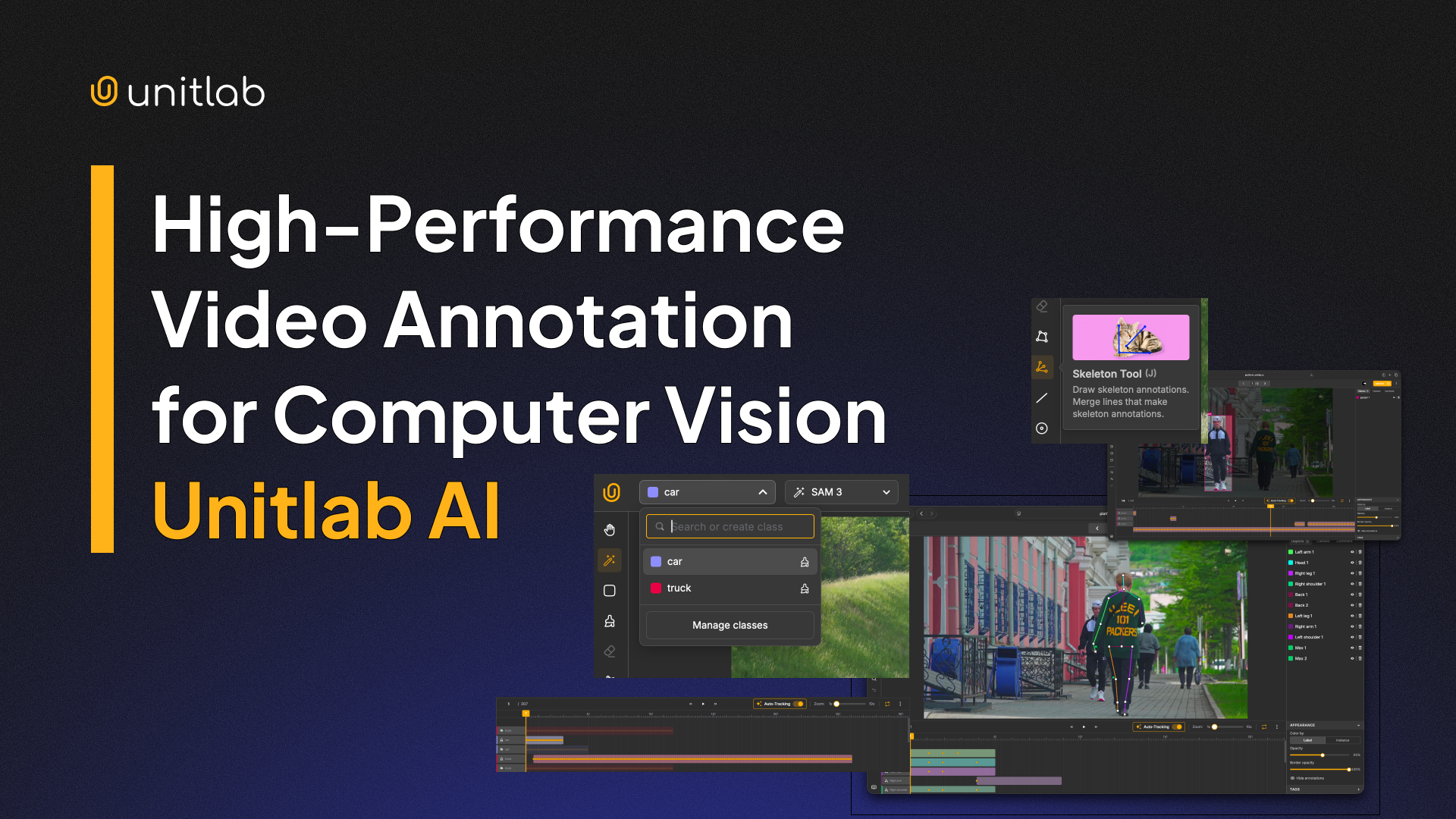
Unitlab AI addresses these challenges with a purpose-built, high-performance video annotation system designed from the ground up for large-scale video workflows.
In this article, we will discuss the challenges of existing video annotation platforms and how Unitlab AI's video annotation addresses these issues and helps you build better datasets faster.
Why Existing Video Annotation Platforms Struggle
Many widely used video annotation platforms adapt standard image annotation tools to video data, which introduces architectural limitations that severely limit scalability and accuracy.
- Native Video Rendering Dependency: Traditional tools rely on browser-native video playback pipelines, which causes frustrating frame skipping during the annotation process.
- Non-Deterministic Access: Reliance on native rendering leads to non-deterministic frame access and imprecise alignment between annotations and frames.
- The Annotation Explosion Problem: As annotation volume grows (especially in dense tracking scenarios), the UI becomes laggy, timeline interactions slow down, object selection delays emerge, and memory usage spikes.
- Performance Degradation at Scale: Many platforms' performance degrades noticeably beyond ~5–10K annotations or on longer videos.
- Semi-Automation Shortcomings: Auto-labeling is often marketed as fully automated, but it involves single-frame segmentation that still requires extensive manual propagation and frequent corrections.
- The Human Bottleneck: Because these tools offer semi-automation rather than true automation, human effort remains the primary bottleneck preventing efficient scaling.
Unitlab AI Architecture: Built for High-Performance Video Annotation
Many video data annotation platforms use browser-native video playback pipelines that often skip frames, exhibit inconsistent timing, provide non-deterministic frame access, and cause gradual annotation drift.
But Unitlab AI employs a fully deterministic, frame-accurate architecture optimized for large-scale computer vision workflows. It processes videos as precisely indexed sequences of individual frames and ensures every annotation is tied to an exact frame number rather than approximate playback positions.
Unitlab AI offers several core advantages:
- Exact frame indexing and zero skipping: Annotations are positioned precisely as intended, resolving the misalignment issues common in native playback systems.
- Perfect temporal synchronization: Timeline navigation, scrubbing, and playback stay perfectly aligned with frame boundaries, avoiding drift even during long sessions or quick edits.
- Rock-solid stability under heavy load: The system stays responsive during intensive tasks like multi-object tracking, keypoint propagation, or dense segmentation, without the stuttering or desync that is common in adapted image-based tools.
Unitlab AI establishes a reliable foundation for robotics perception, autonomous driving datasets, motion analysis, and other time-sensitive applications by prioritizing frame-level determinism to address real-world challenges.
Annotators can confidently build temporally coherent datasets knowing that precision won't degrade as projects scale to thousands or hundreds of thousands of frames.
Automated Video Annotation Workflows
To overcome the inefficiencies of manual frame-by-frame labeling, Unitlab AI integrates an automation layer that lets users supervise the annotation.
Automation Beyond Assistive Tooling
Automation in Unitlab AI goes beyond simple assistive tooling and greatly reduces annotation time while improving consistency.
In Unitlab Automation Flow, you can construct an Automated Pipeline via a visual node graph that connects input sources directly to model nodes (such as Car System Detection, Car Segmentation, or Person Segmentation).
Unitlab automation pipeline autonomously handles:
- Object Initialization: The Unitlab system automatically detects objects and assigns class data as soon as the Batch Auto Label process is triggered.
- Auto Segmentation: Leveraging models like SAM3, the system generates pixel-perfect masks for complex shapes immediately upon detection.
- Cross-Frame Propagation: Annotations are automatically carried forward across the timeline, removing the need to redraw objects on every frame.
- Tracking Correction and Continuous Refinement: The system intelligently adjusts boundaries as objects move and allows annotators to focus only on final quality control rather than creation.
Advanced Auto-Tracking Across Frames (Powered by SAM3 and EfficientSAM)
Tracking stability is critical for video datasets, as a single jittering frame can ruin the entire training dataset. Unitlab utilizes SAM3 (Segment Anything Model 3) and EfficientSAM to build a tracking system that maintains consistency over time. Unitlab tracking system capabilities include:
- Persistent Tracking IDs: The system assigns and maintains unique IDs for multiple subjects to ensure that Object 1 remains Object 1 throughout the entire sequence.
- Cross-Frame Object Continuity: The Auto-Tracking feature ensures that segmentation masks follow the object seamlessly. In the Robot Arm & Wine Glass sample video above, the mask adheres perfectly to the glass even as it rotates on a turntable, showing high-precision continuity.
- Automatic Motion Adaptation: The tracker anticipates movement vectors, adjusting the annotation shape to match the object's changing perspective without manual keyframing.
- Occlusion-Aware Propagation: The algorithm predicts object locations even when they are momentarily obscured and prevents track loss during complex interactions.
Robustness in Challenging Scenarios
Unitlab AI architecture ensures that annotations remain consistent even under the most difficult computer vision conditions:
- Fast Motion: High-speed objects are tracked without lag or ghosting effects.
- Partial Visibility: Accurately maintains bounding boxes, masks and keypoints (skeleton) even when objects are partially blocked by the environment.
- Scene Transitions: The tracker re-initializes or terminates tracks logically when cuts or scene changes occur, preserving dataset integrity.
Large-Scale Performance: Designed for Real Datasets
Most annotation tools fail when datasets become realistic. Unitlab maintains stable performance for 100K+ frames per project, 10+ hour videos, and dense multi-object tracking scenarios featuring 10K+ annotations per video. Performance remains predictable regardless of dataset scale. Unitlab AI UI never degrades, and:
- Timeline remains responsive
- Object selection stays instant
- Annotation updates remain real-time
Annotation quality directly depends on interaction stability. Annotators maintain workflow focus instead of fighting tooling limitations because Unitlab guarantees:
- No frame drops
- No interaction lag
- Stable zoom and editing
- Smooth annotation redraw
Quick Comparison: Unitlab vs Top Video Annotation Platforms
Many tools work well for small projects but falter at scale. Here's a table comparing Unitlab AI with other top video annotation platforms.
Conclusion: Video Annotation at Production Scale
As computer vision shifts toward video-first models, annotation infrastructure must deliver frame precision, powerful automation, and unflinching performance at scale.
Unitlab AI transforms video labeling into a reliable, efficient, frame-accurate, automation-driven, and built-for-the-largest-datasets process.
For teams training next-generation vision systems, Unitlab provides the speed, stability, and quality required to move fast without compromise.
FAQs
Q1. What is meant by video annotation?
Video annotation is the process of labeling objects, actions, and events across video frames to create training data for computer vision models. It involves adding metadata such as bounding boxes, segmentation masks, keypoints, and temporal labels to raw footage.
Q2. What is an annotation in a video?
An annotation in a video is a label or marker that identifies specific objects, regions, or events within video frames. These annotations can include bounding boxes around objects, polygon outlines, keypoint skeletons for pose estimation, or classification tags that help machine learning models recognize patterns and behaviors.
Q3. How do I annotate videos?
To annotate a video, upload your video file to an annotation platform like Unitlab AI, set your desired frame rate, create annotation classes for the objects you want to label, use annotation tools like bounding boxes or auto-segmentation to mark objects in key frames, then apply tracking or interpolation to propagate labels across consecutive frames.
Q4. What are the 5 steps of annotation?
The annotation process generally follows a structured five-step lifecycle to ensure high quality and consistency:
- Project Setup and Data Ingestion: This involves uploading raw footage to the annotation platform and configuring the project parameters, such as frame rate extraction (e.g., extracting frames at 10fps vs. 30fps) and defining the label ontology.
- Guideline Definition: Establishing clear annotation guidelines is crucial. This defines how to handle edge cases, such as occlusion (when an object is blocked) or motion blur, ensuring all annotators label specific objects consistently.
- Annotation and Tracking: The core execution phase where annotators use tools to annotate a video. They apply bounding boxes or masks and use object tracking features to propagate these labels across multiple frames.
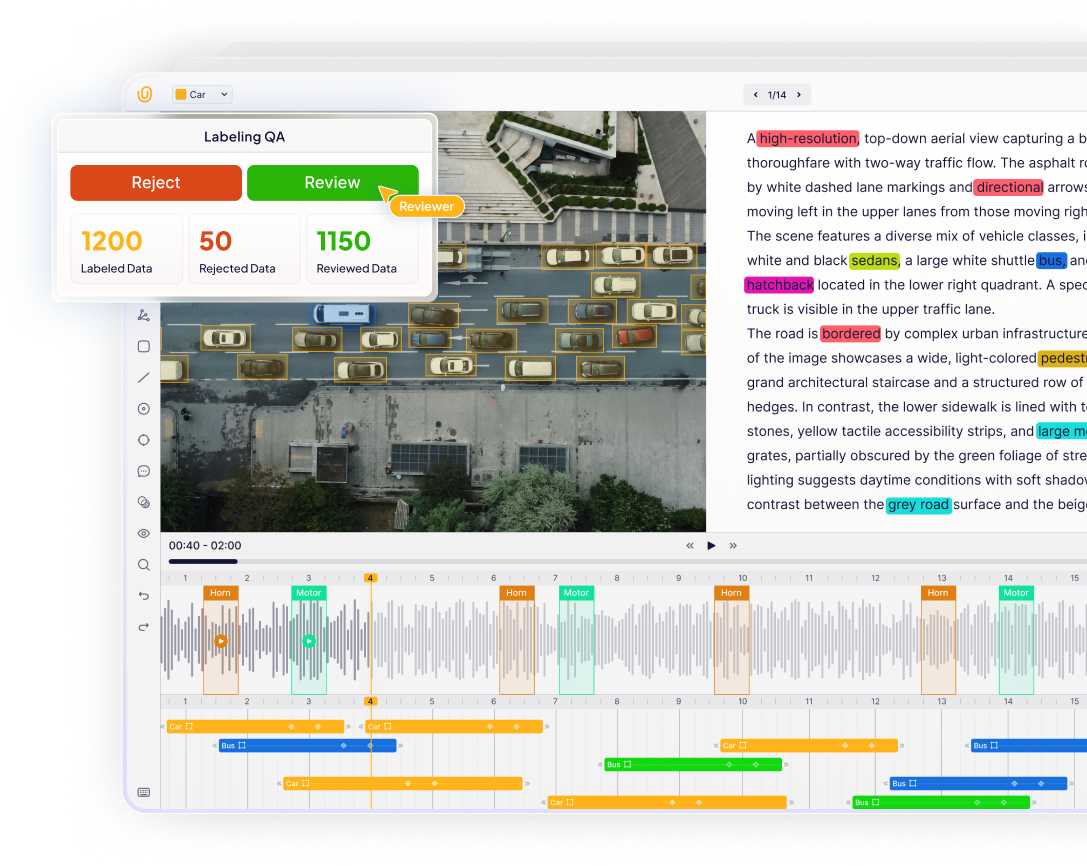
- Quality Assurance (QA): A review phase where senior annotators or automated scripts check for errors, such as loose bounding boxes or ID switches (where "Car A" becomes "Car B"), to ensure high quality video annotation.
- Export and Integration: The final annotated video data is exported in machine-readable formats (like COCO, YOLO, or JSON) and integrated into the computer vision system for model training.
Q5. Why is video annotation important for computer vision?
Video annotation provides temporal context that single images cannot capture, enabling computer vision models to understand motion, track objects across frames, recognize actions and behaviors, and make predictions based on sequential visual data. This is essential for applications like autonomous driving, surveillance systems, and activity recognition.