Note: This is a simplified, quick version of our project creation docs. For full information, refer to this page:

Automation Workflow | Unitlab AI
At Unitlab AI, we strongly emphasize the intersection of human expertise and machine intelligence in data annotation. We believe AI should empower people, not replace them. Therefore, we've developed an AI-powered data annotation platform enabling human annotators to be 10x more productive through advanced auto-annotation tools.
This commitment is why Unitlab AI provides built-in foundational AI models and supports AI model integration. Coupled with human oversight, these automated annotation tools produce datasets that are more accurate, faster, and better quality than manual or AI-only methods.
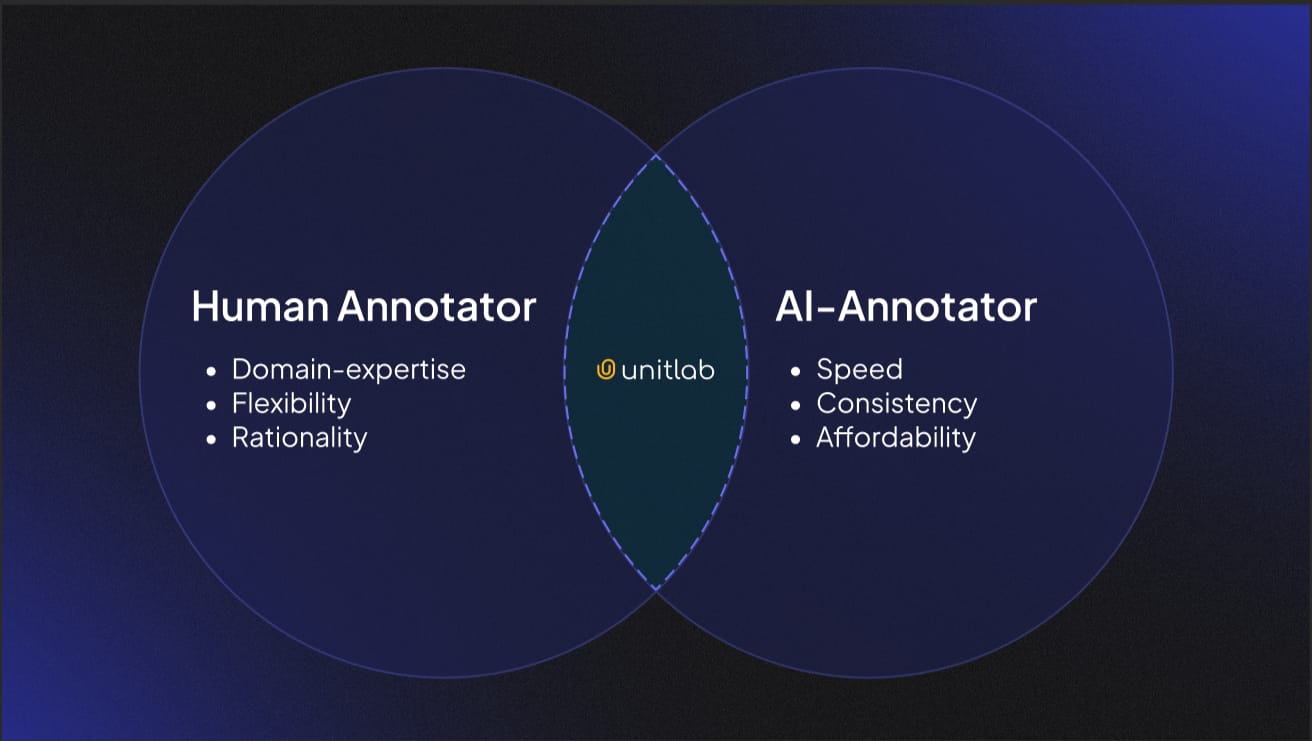
Previously, each project on our platform was limited to using just one AI model. While this approach is straightforward, it's often insufficient for complex real-world annotation tasks. For instance, labeling images from a fashion show might require separate auto-annotation models: Fashion Segmentation for clothing, Person Detection for identifying individuals, and Image OCR to recognize brand text. Clearly, a single-model limitation doesn't fit such scenarios.
To address this, we are introducing our latest feature: Unitlab Workflows.
Unitlab Workflows
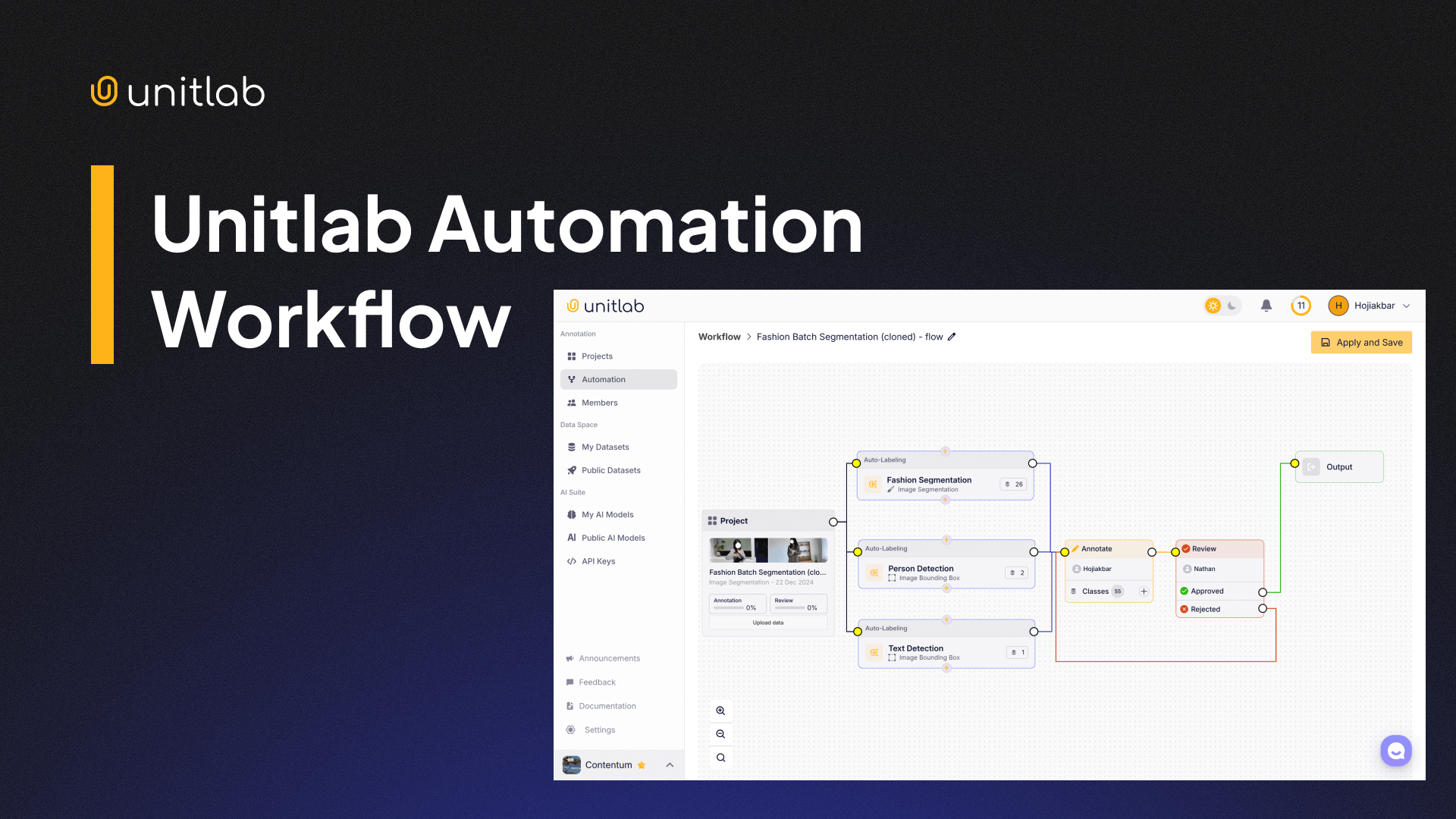
This new feature enables you to integrate multiple AI models within a single project. For complex annotation tasks requiring different labeling types (such as instance segmentation, bounding boxes, and image OCR) you can now use multiple AI models simultaneously.
When running automated annotation tasks like Crop Auto-annotation or Batch Auto-annotation, the system applies all the models specified in your workflow automatically.
Watch this demo video to see workflows in auction:
Unitlab AI Automation Workflow
Unitlab AI also lets you incorporate your own custom AI models into these automation workflows, offering extensive flexibility and customization while remaining user-friendly. Workflows truly enhance the hybrid approach of combining human labeling with AI automation.
Let's set up a demo project to see this in action.
Demo Project
If you do not already have a Unitlab account, create a free account in under 5 minutes to follow along the tutorial:
Project Setup
In our demo project, we'll create a project to detect people and segment clothing, requiring two distinct AI-powered auto-annotation models. Download sample images from this Google Drive folder.
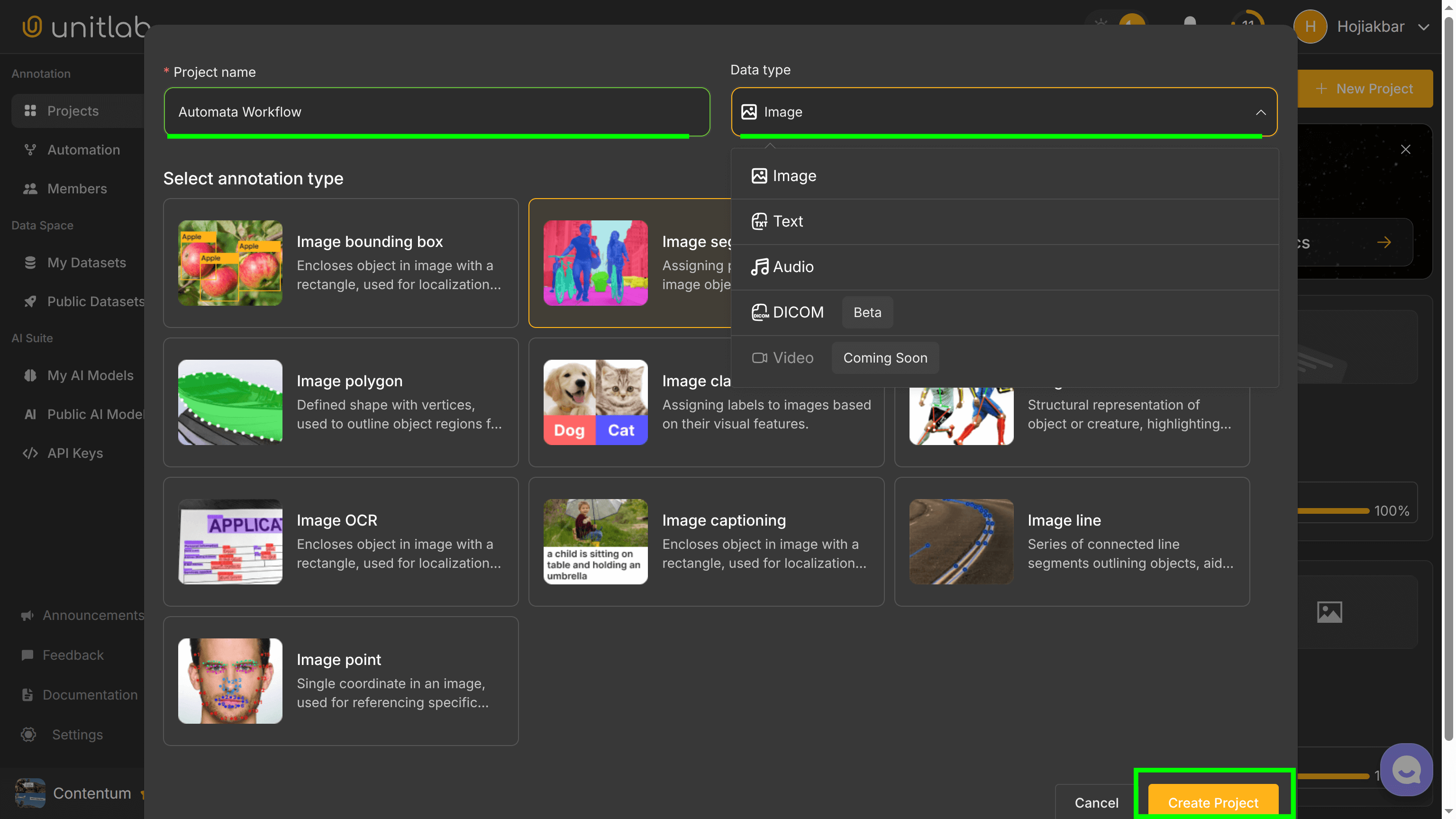
First, create a project called Automata Workflow and select Image Segmentation as your base class. Unitlab Annotate currently supports image, text, audio, and DICOM annotation, with support for video labeling coming soon:
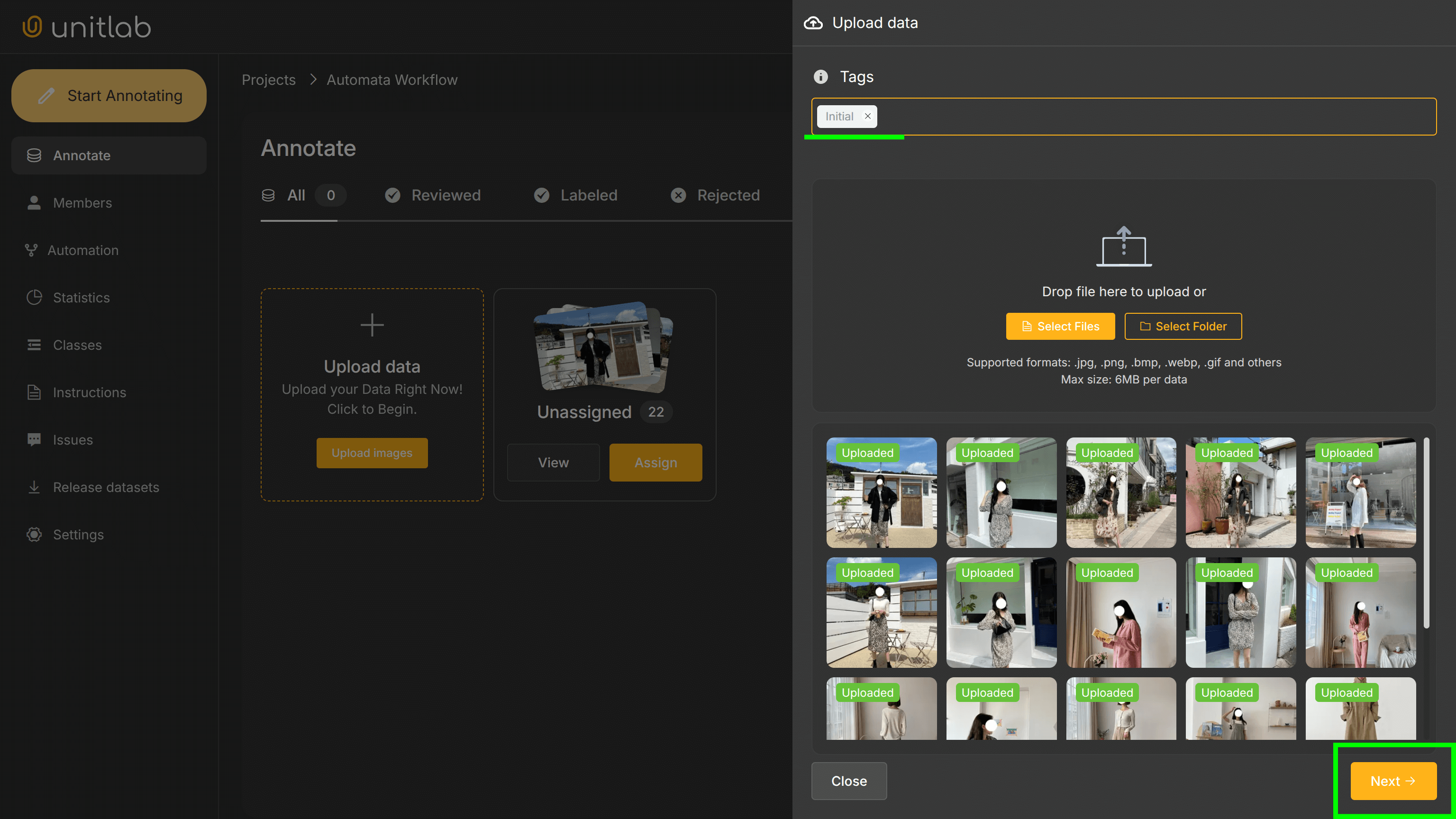
Upload your own images or the provided sample images to this project, then assign yourself as a data annotator to this data sample. You can assign tags to data samples every time you upload data to your project. In our case, I assigned Initial :
Automation Setup
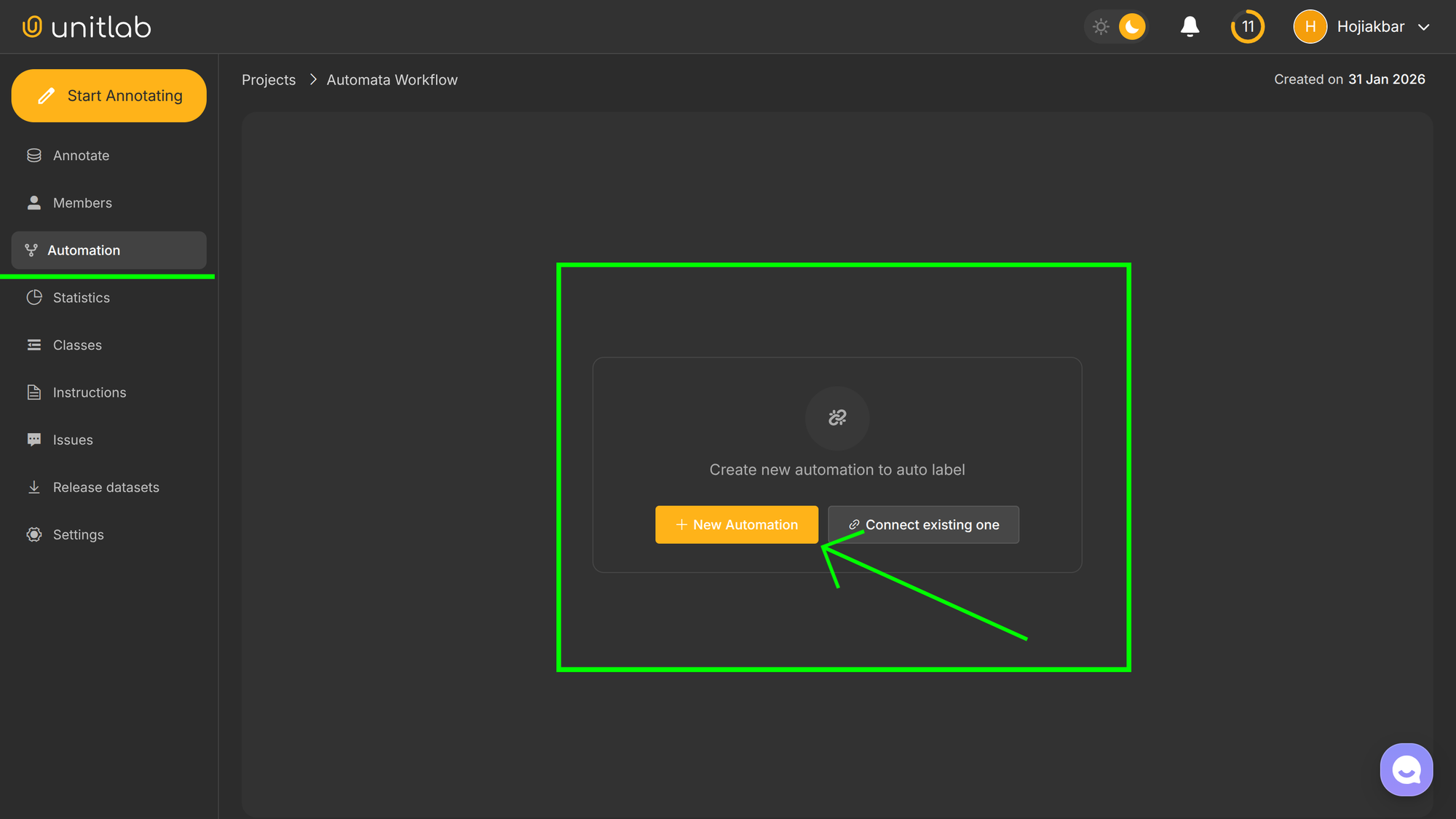
With the project ready, go to the Automation menu on the sidebar and click + New Automation. The elegance of this feature is that you can use the same workflow for different projects, by connecting an existing one. For this project, we will create a new automation workflow from the ground up:
We want to detect people using bounding boxes and annotate clothing with pixel-level segmentation, so we'll add two models to our workflow and name it Automata Fashionium (sometimes a name is just a name). We can also manage annotators and reviewers:
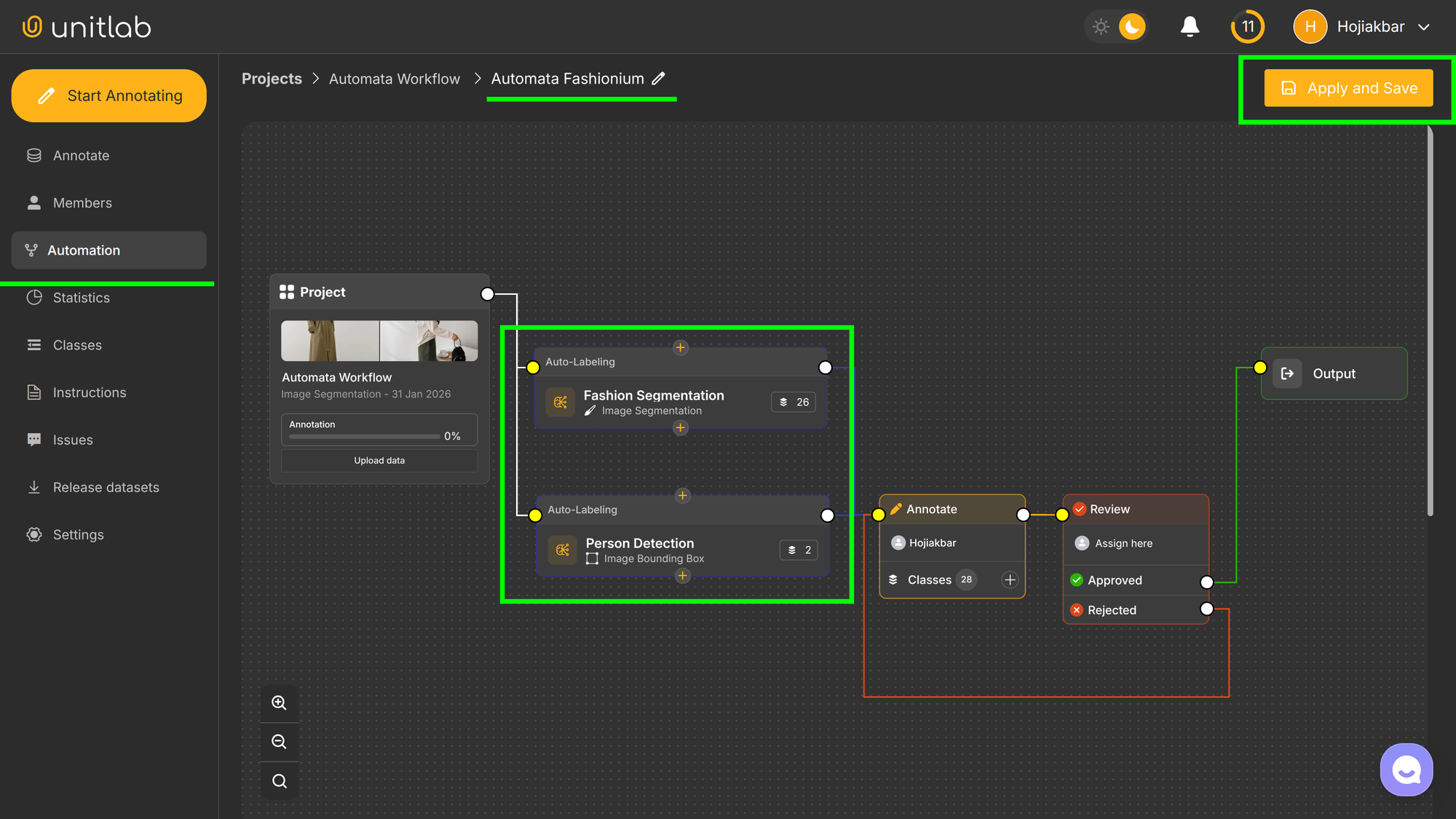
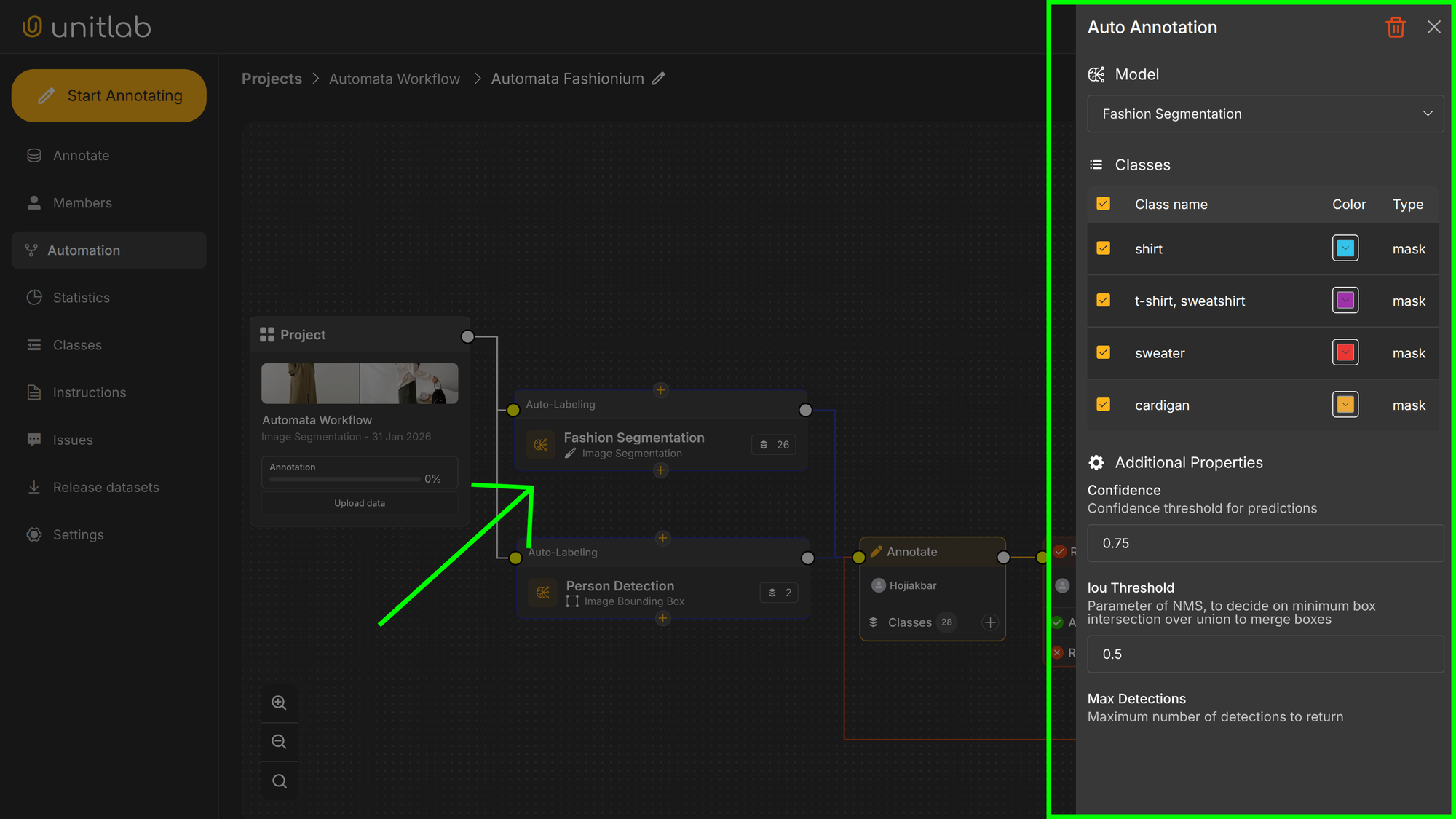
You can adjust settings for each model by clicking one each auto-labeling model. In the settings panel, you can configure these parameters:
- Model Attributes: You can change or remove model's class names and colors.
- Confidence: Minimum confidence for valid predictions. For example, 0.7 (70%) means only detections above this confidence threshold will be shown; lower-confidence results will be excluded.
- Iou Threshold: Intersection-over-Union threshold used by Non-Maximum Suppression (NMS). A threshold of 0.25 means overlapping bounding boxes (more than 25% overlap) are either merged or filtered, keeping the box with the highest confidence.
- Max Detections: Maximum number of detections allowed per image. A limit of 300 means the system retains only the top 300 detections ranked by confidence.
Now, your automation workflow is set. Let's annotate images automatically.
Auto-image annotation
Unitlab workflows support two annotation methods: Batch Auto-annotation and Crop Auto-annotation. Batch Auto-annotation quickly annotates many images simultaneously, while Crop Auto-annotation allows precise annotation of a manually selected area. Batch mode is ideal for large-scale annotation, while Crop mode is better for focused labeling.
We'll run our workflow in batch mode first:
Batch Auto-annotation with Automation for Fashion Segmentation | Unitlab Annotate
Then, we'll use Crop Auto-annotation to precisely label a selected region using our Automata Fashionium workflow:
Crop Fashion Auto-annotation | Unitlab Annotate
Dataset Release
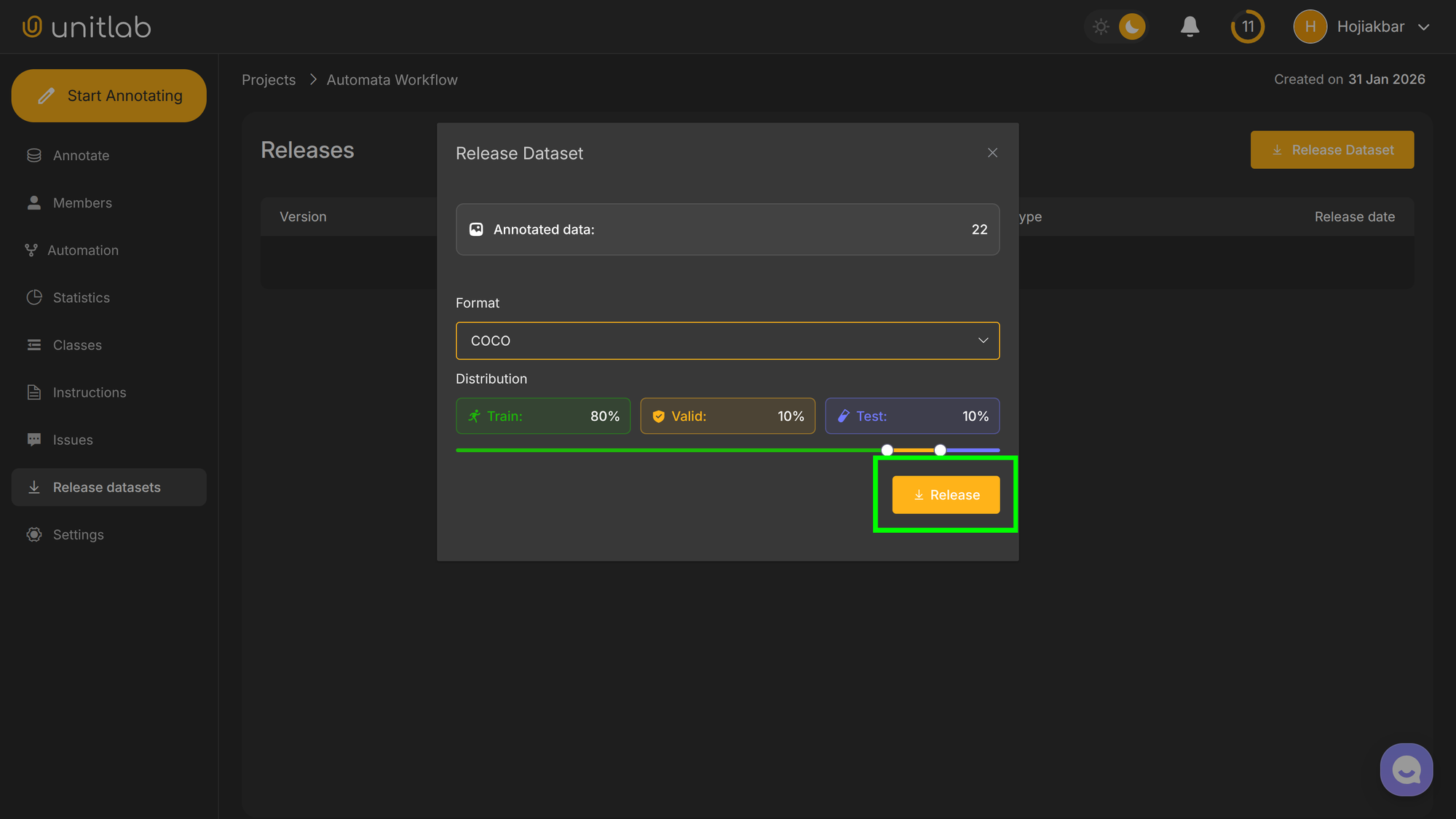
Having completed image labeling, you can now release your first dataset version (0.1). As you add more images, subsequent dataset versions can be released, allowing iterative dataset management with built-in version control.
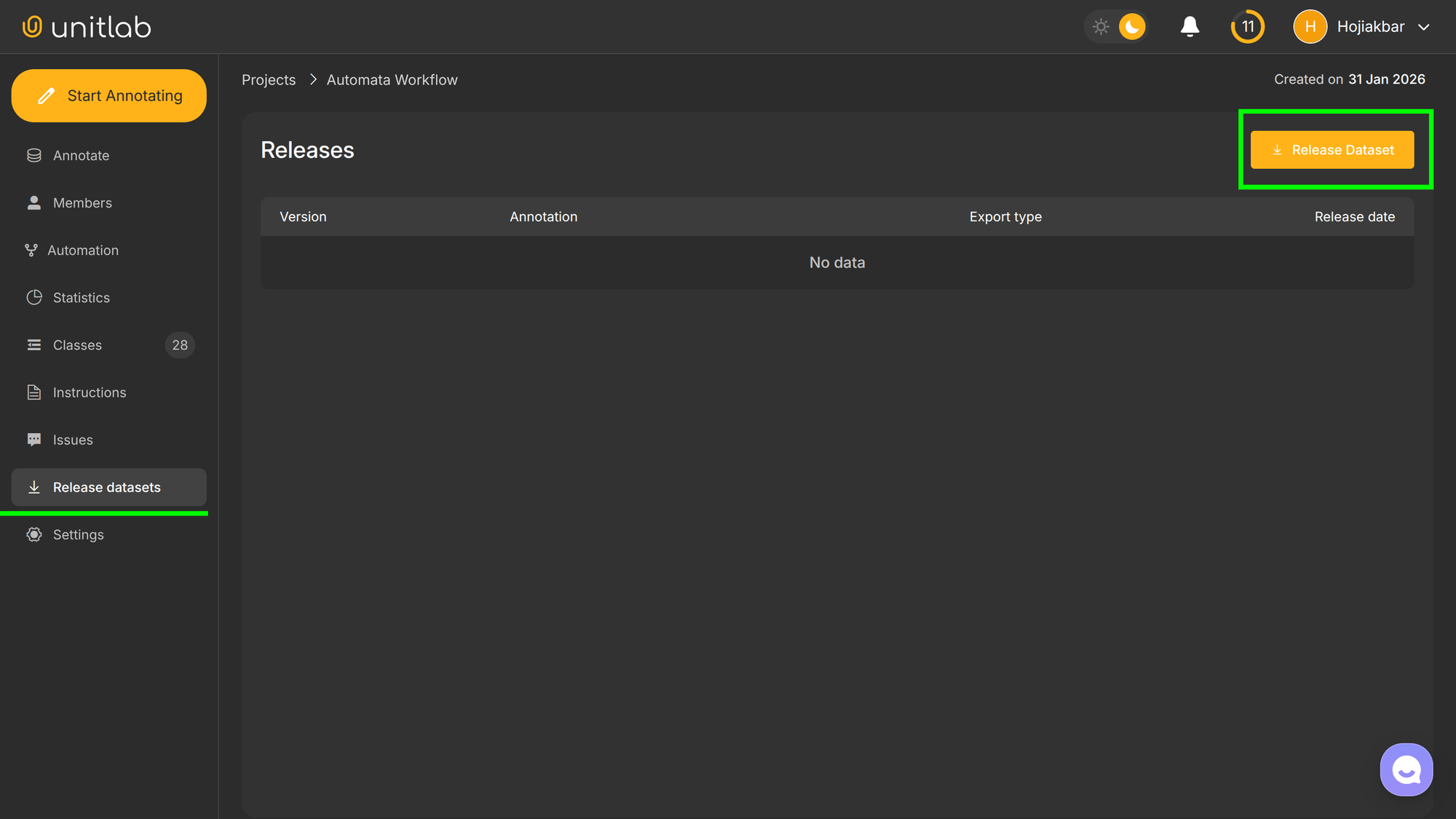
You can release datasets directly within the project interface by going to Release datasets on the left-side panel:
Under the Free plan, your datasets are public by default and available to everyone on Unitlab Annotate. To create private datasets and access advanced features, upgrade to a paid plan. For this tutorial, we've released a public dataset, which you can explore here.
See this additional post for more information on datasets and version control.
 Hojiakbar Barotov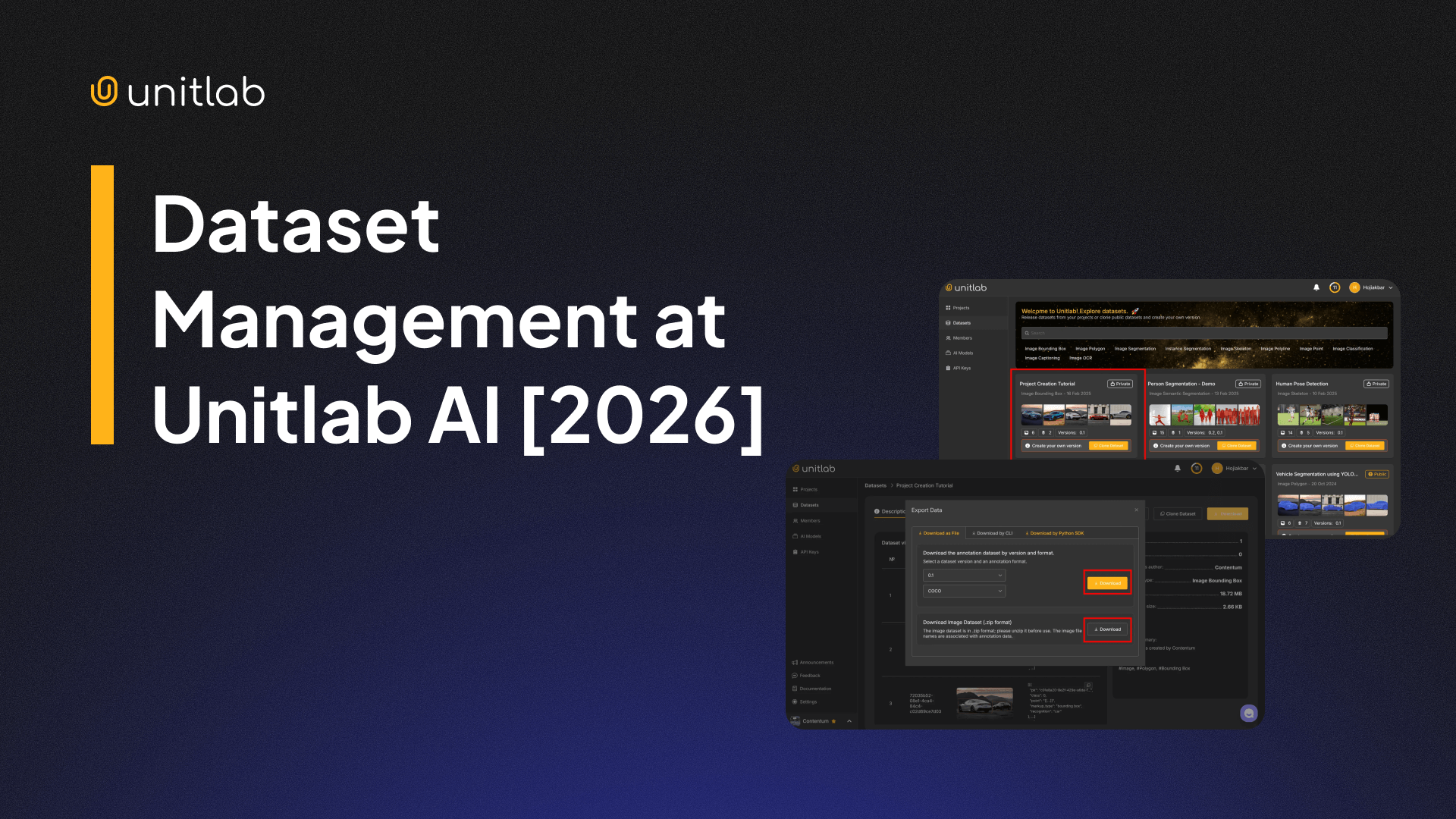
Dataset Management | Unitlab Annotate
Conclusion
Our new Unitlab Workflows feature enables the combination of multiple AI models into a single automated annotation process, allowing complex labeling tasks to be performed effortlessly. Additionally, custom AI model integration ensures maximum flexibility and adaptability to your annotation needs.
Unitlab AI offers the ultimate annotation platform for efficiently creating high-quality datasets for your AI and ML models. Give it a try today.
Explore More
Check out these additional resources for deeper insights into automation and AI model management in Unitlab: